Home Apps
Platform
Tracking panel Zones and alerts Reports Mobile app Compatible devices Device catalogue Connects to other systems Developer access Our own maps Every client, separate Backups Service status Where your data lives
Your brand
Your domain and logo Your app in the stores Your website Security padlock and email What you need to start How long it takes Brands already running Your reseller panel
What improvement you offer your client
Road safety Anti-theft and recovery Fuel control Regulatory compliance Preventive maintenance Delivery reliability Working-hours control Cold chain School routes Asset control Onboard video Guard patrols Field work Tracking with no device Satellite coverage Automatic alerts Silent devices Connect to their system
Who to sell it to
Freight transport Passenger transport School transport Delivery and last mile Construction and machinery Agriculture Field services Food and refrigerated Vehicle rental Security and guarding
Pricing
How billing works Volume plans What's included Your margin Payment methods Annual prepayment
Resources
Your first 30 days Technical support Training Sales material Frequently asked How to start a tracking business What it costs to start Which devices to buy How to bill your client Which protocol your GPS uses What the PESV is The GPS is not reporting Look up an IMEI Is my device supported? Your carrier's APN Look up a list of IMEIs Compare devices How much data the SIM uses When 2G shuts down When do I break even? Quote with your brand
Contact Request Demo
Platform · Tracking panel

Your client opens the map and sees where every vehicle is

It is the first thing a client buys and what they check every day. It has to load fast, make sense without a manual, and work the same on the office computer and on the owner's phone.

Become a reseller
+132 million
GPS positions already processed
Your brand
the client never sees another name

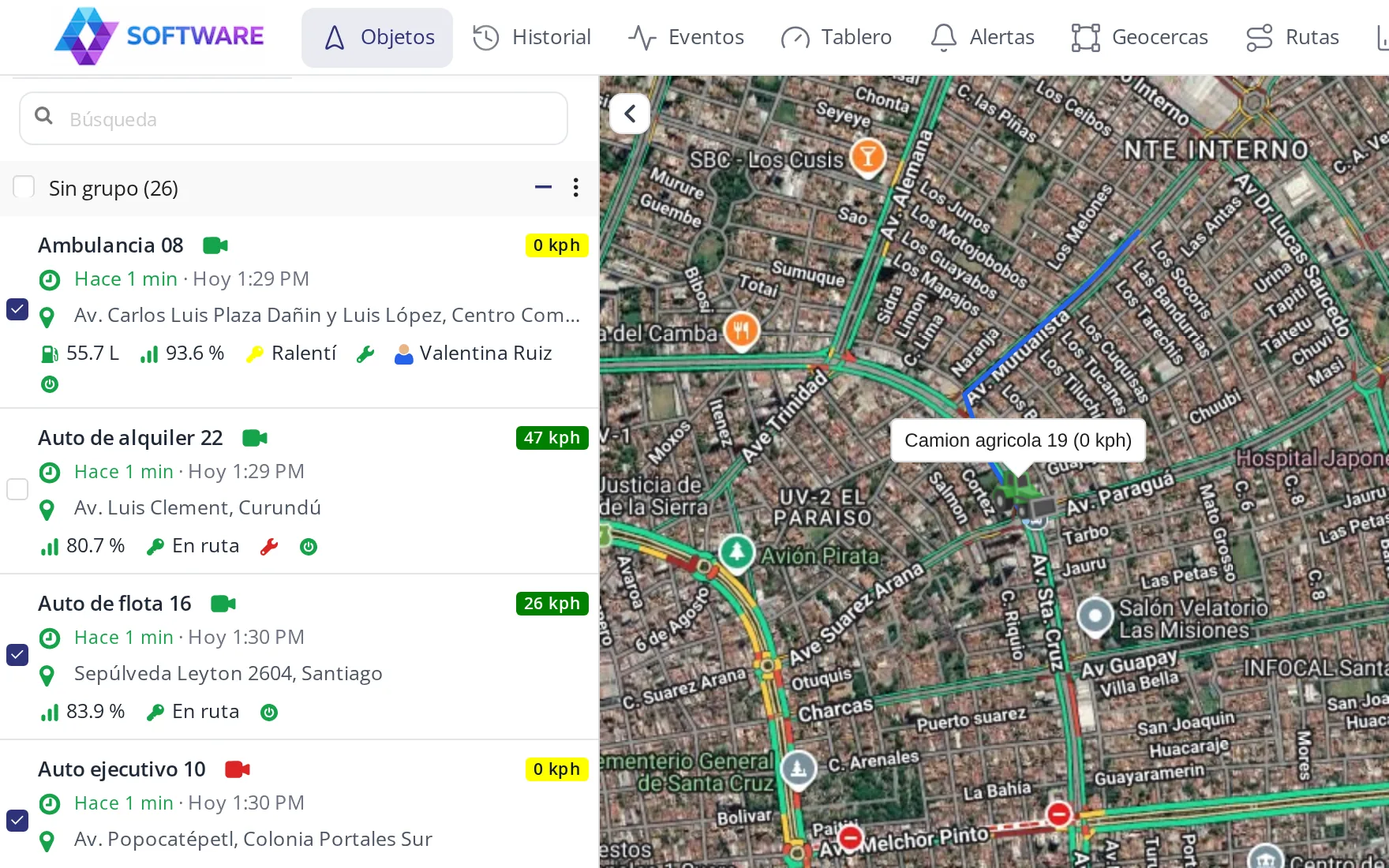
The vehicle card style, your choice

Every reseller picks how the vehicle list looks. It changes in seconds, no code involved, and can be changed again anytime.
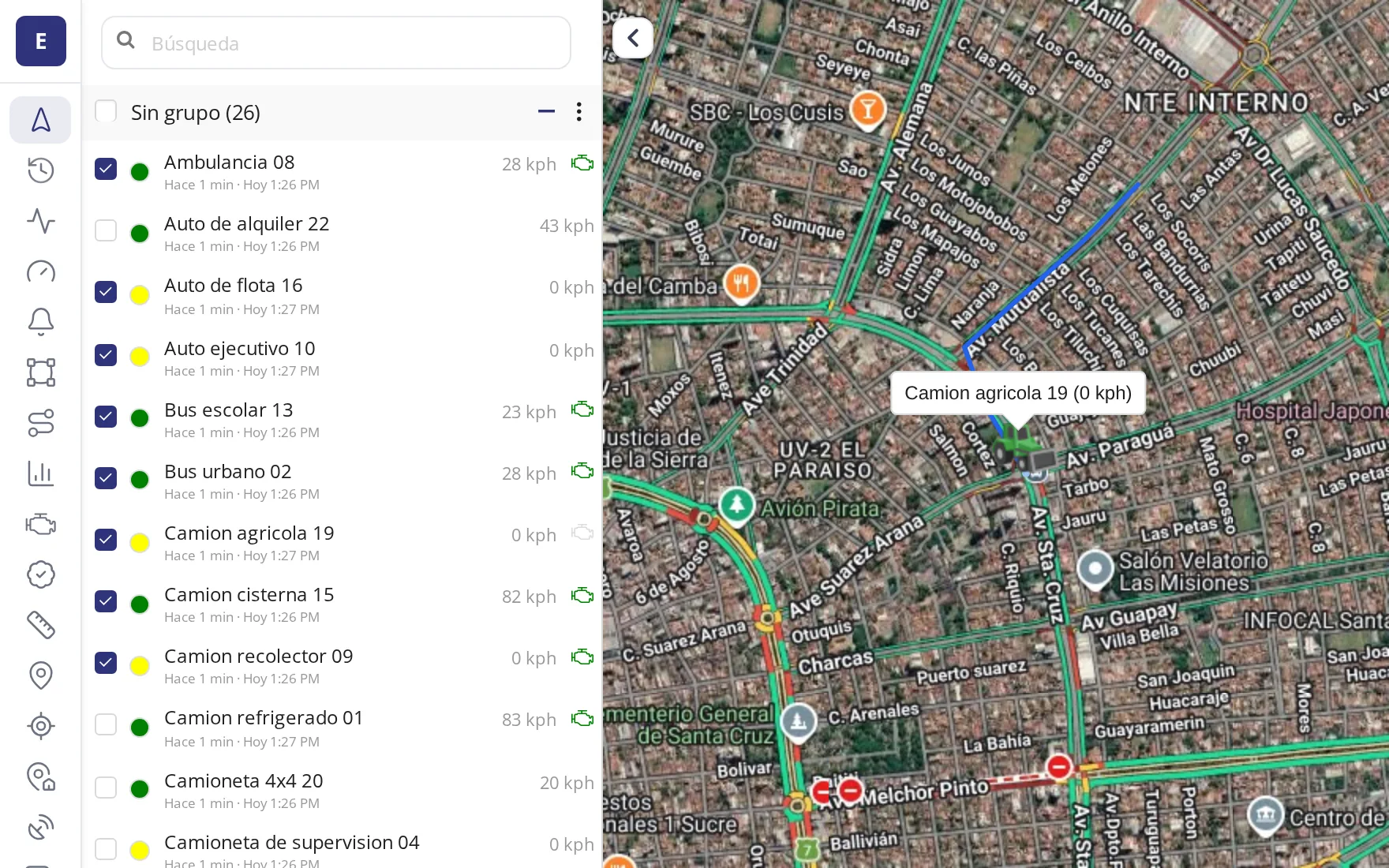
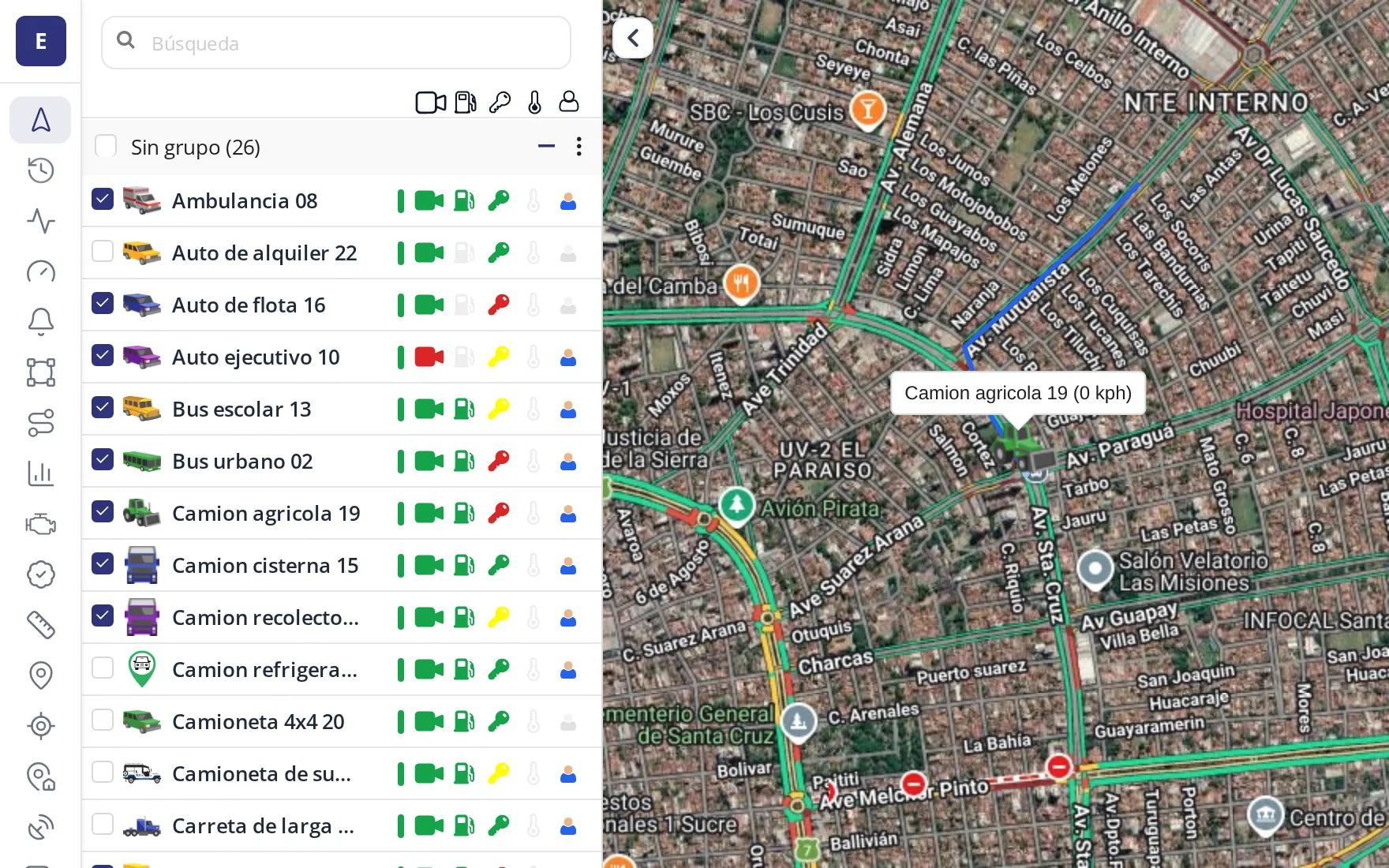
Standard card

Standard

The classic list: name, last report time and the vehicle icon. The simplest to scan at a glance.

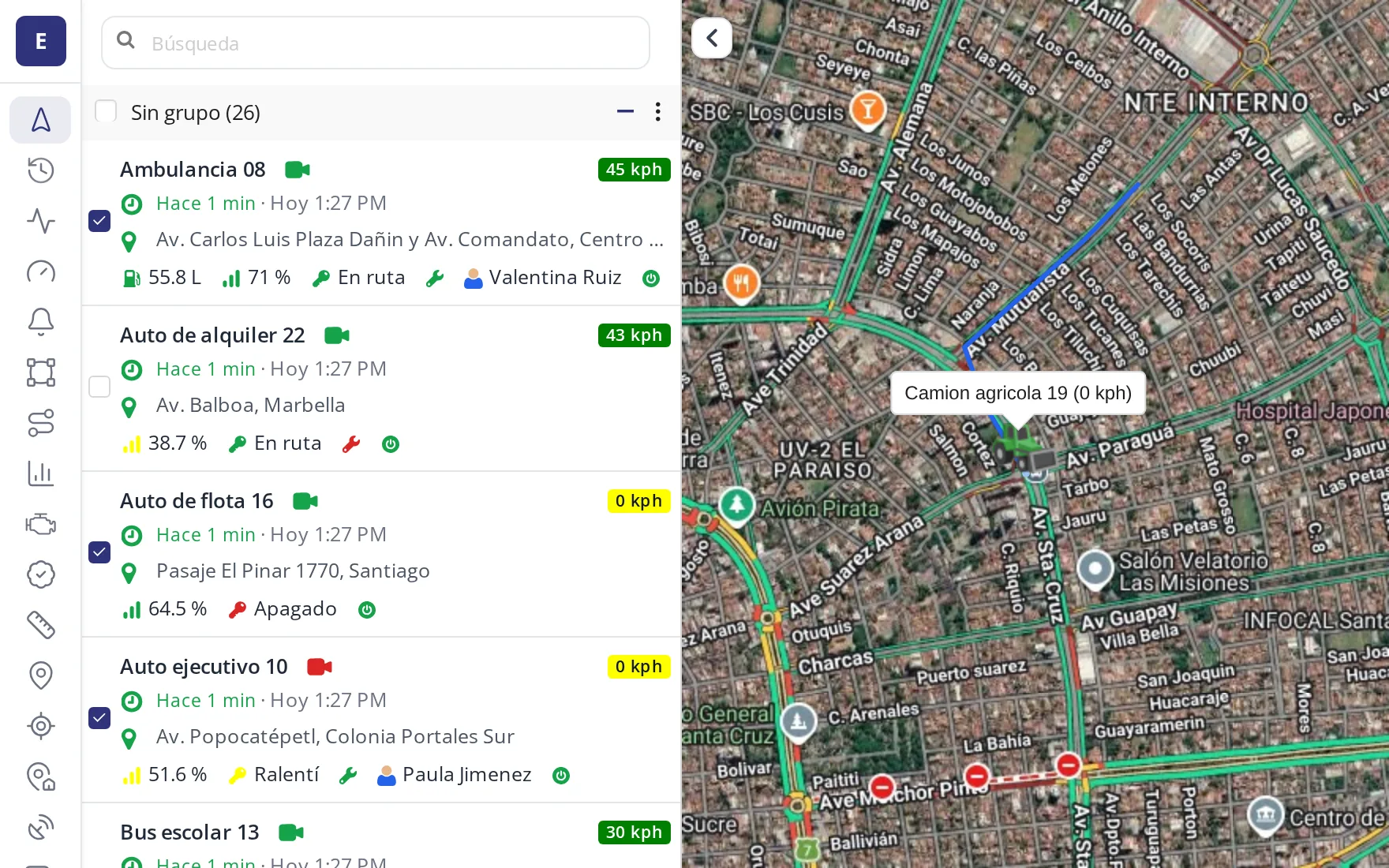
Full card

Full

Adds address, signal, battery and driver under the name. For anyone who wants to see it all without clicking.

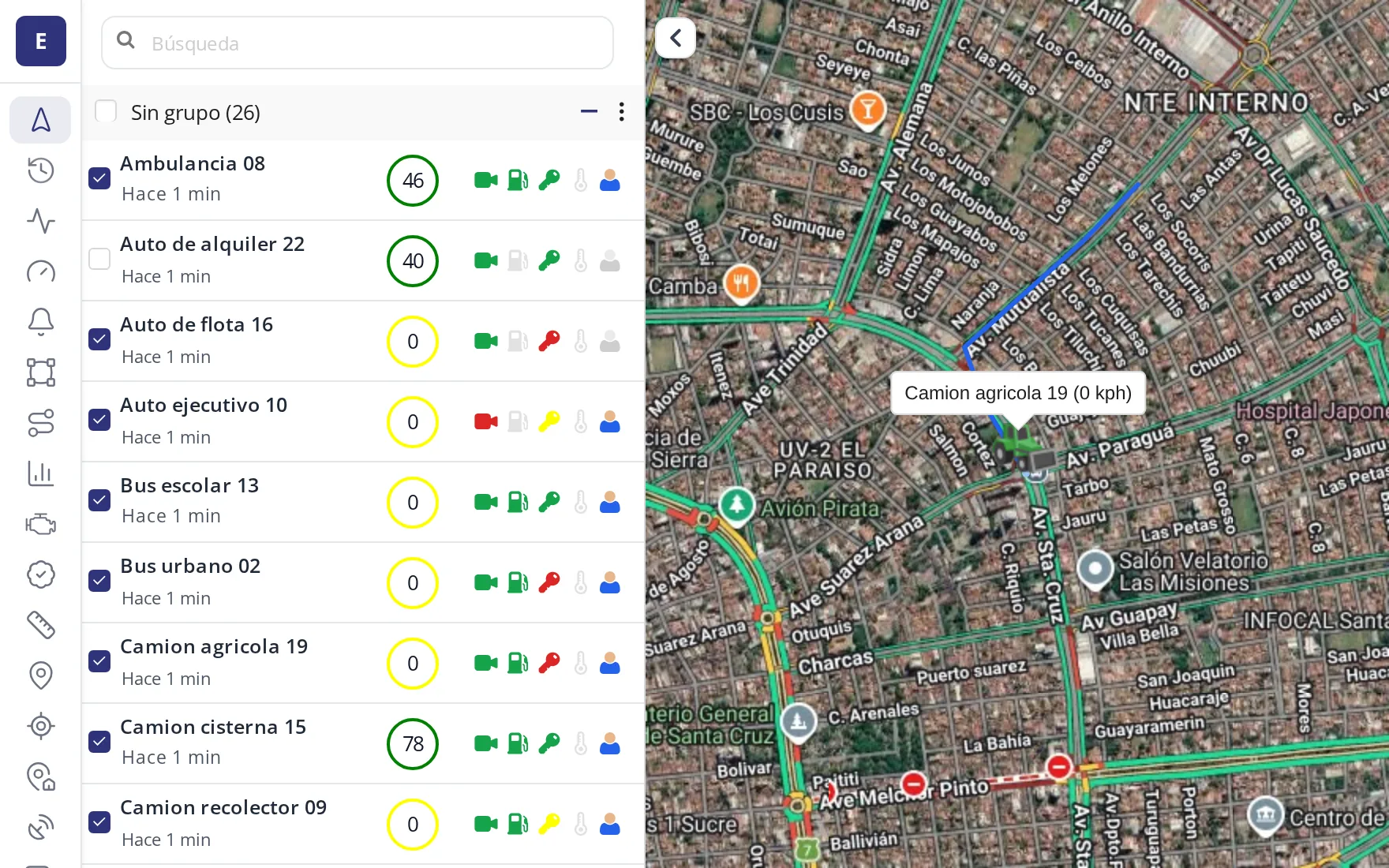
Compact card

Compact

The same data, as icon chips to the right of the name. Fits more of the fleet on the same screen.

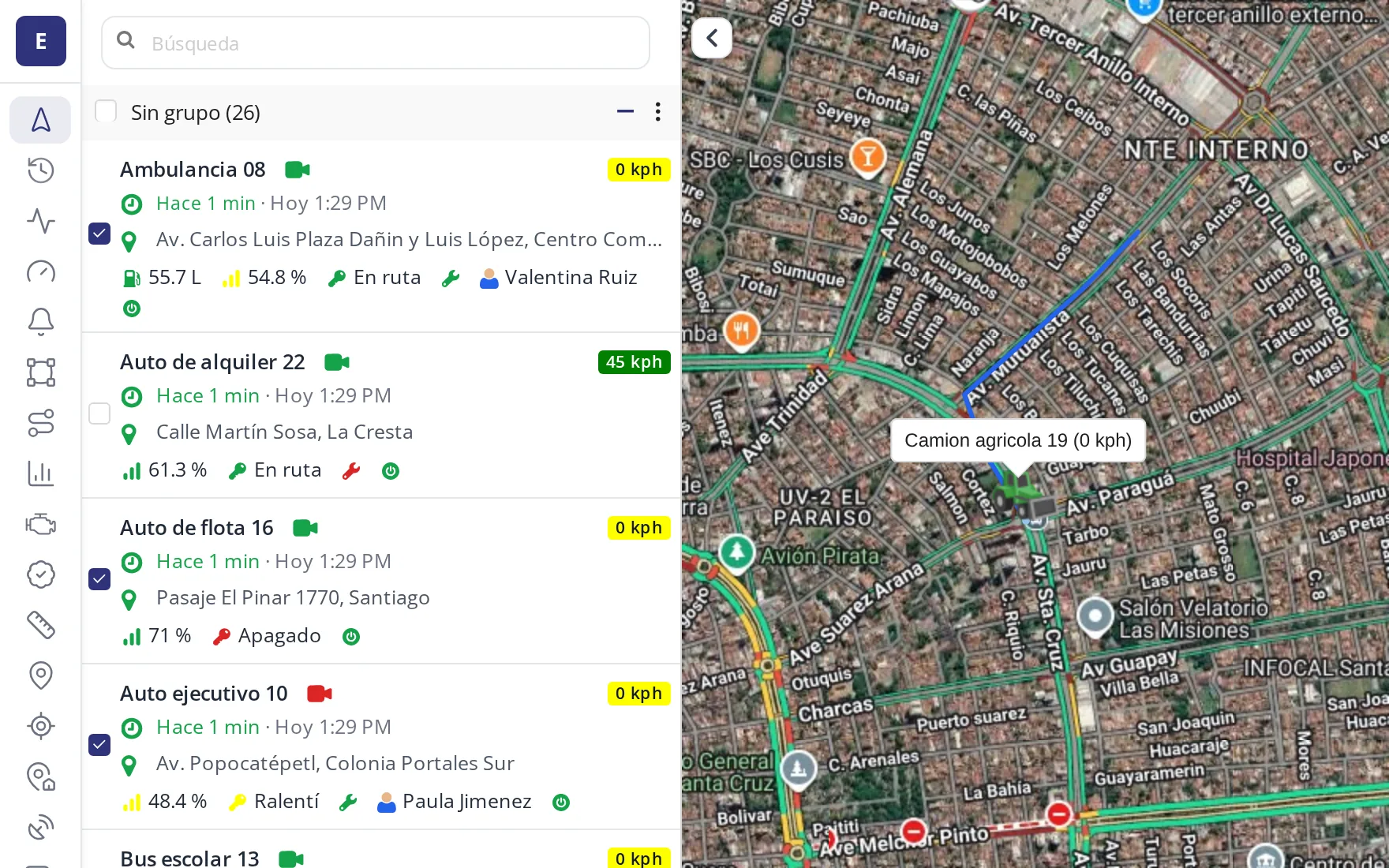
Operational card

Operational

One narrow row per vehicle, built for large fleets that need to scan dozens of units at once.

The menu, on top or on the side

You also choose where the tools menu lives — across the top, or in a narrow rail on the left — and the brand color applies to both the same way.

Side menu

On the side

A narrow icon rail on the left, always in view, without competing with the map for space.

Top menu

On top

A classic horizontal bar, with every tool's name in view.

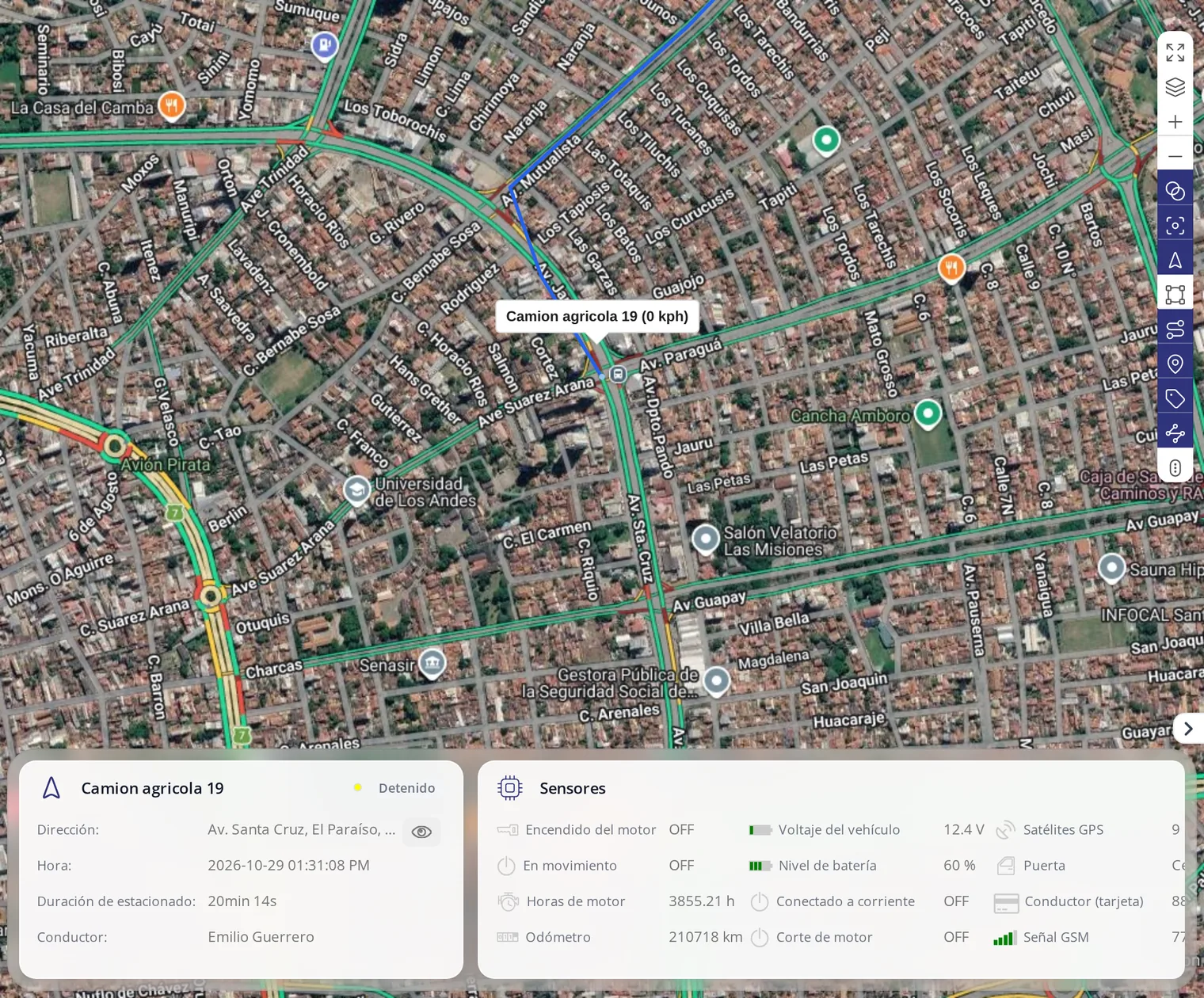
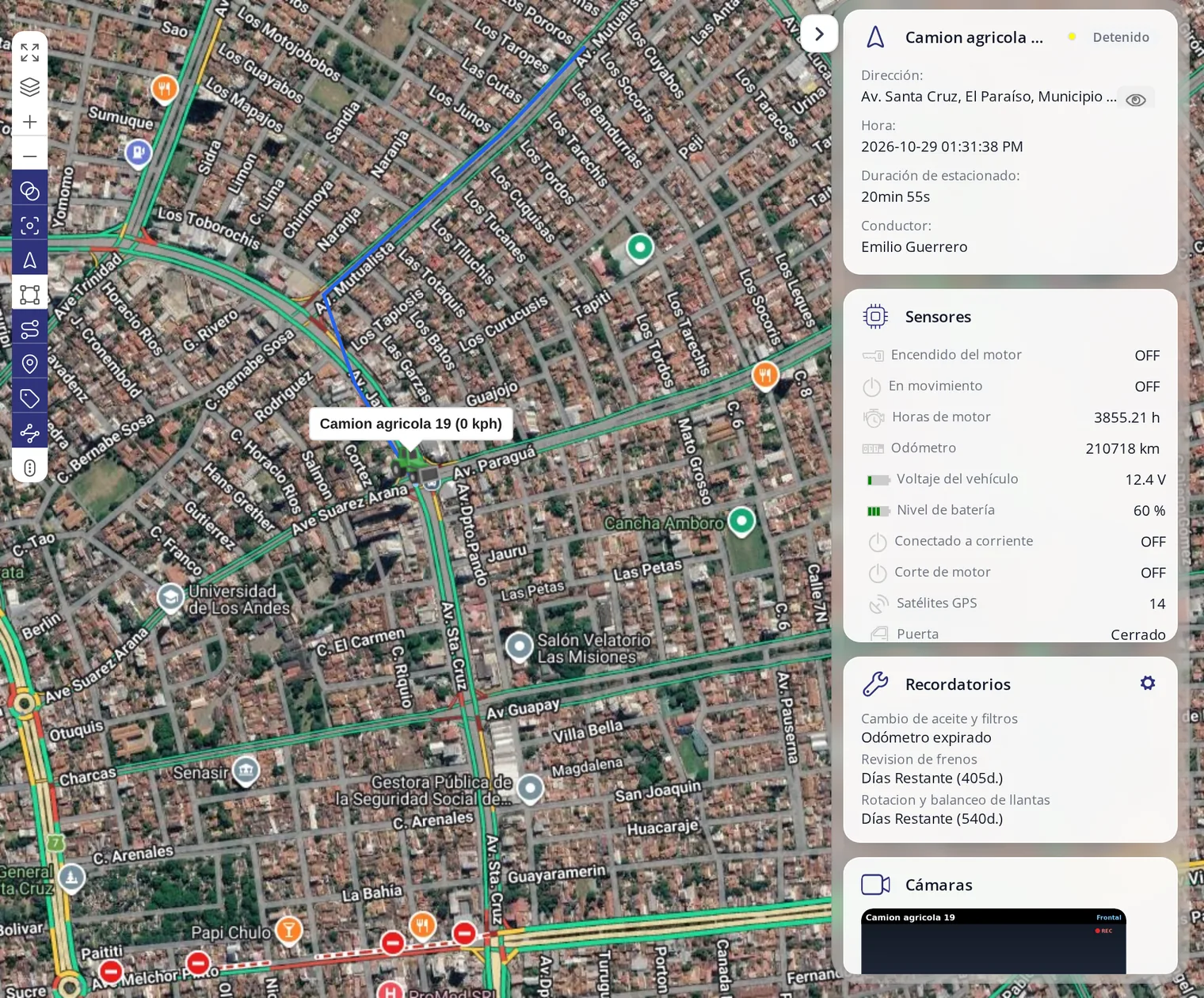
The information panel, wherever your client wants it

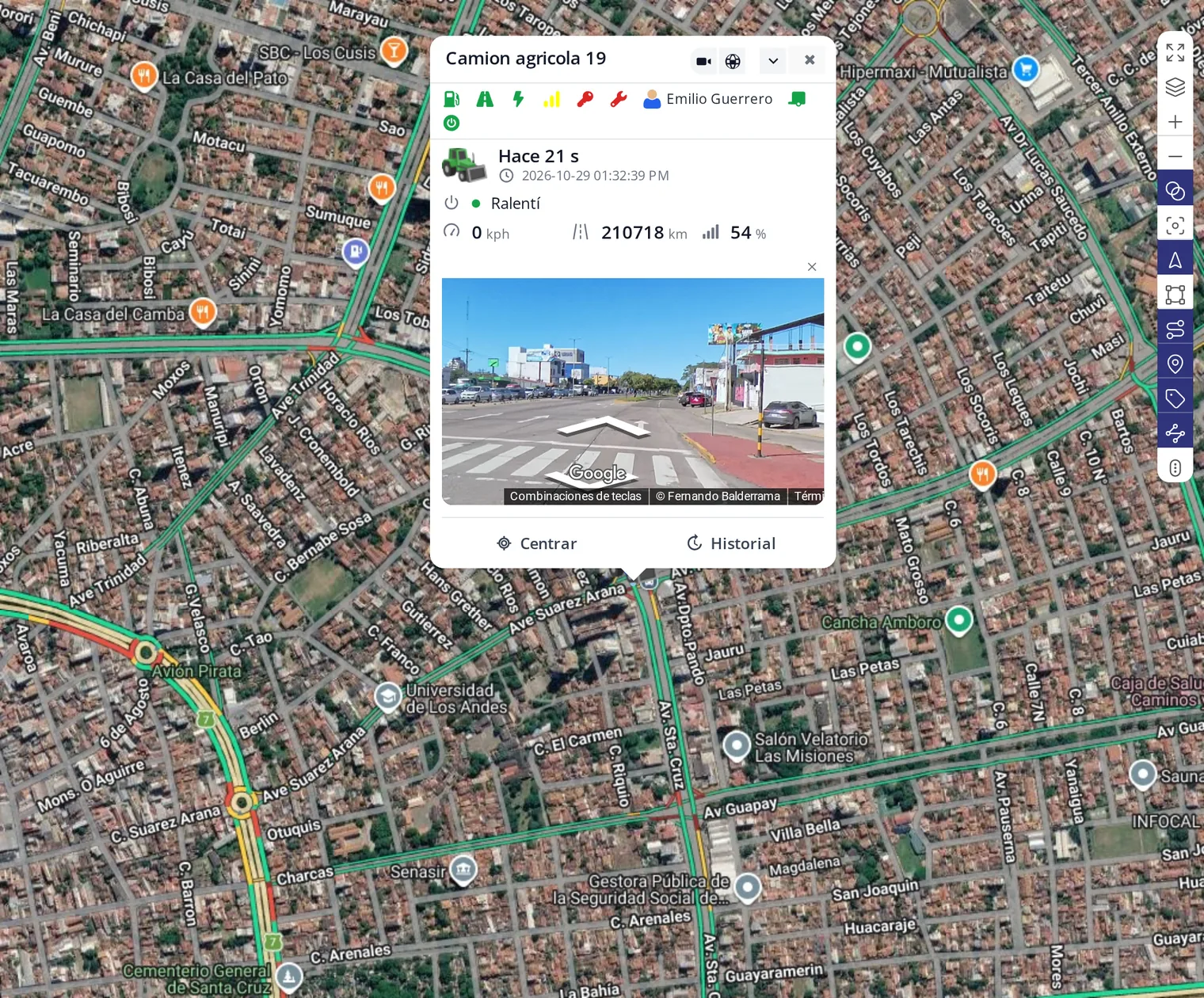
Below the map, on the right, or no panel at all — once the vehicle's balloon already shows address, time and even street view, many clients prefer no panel in the way at all.

Panel below the map

Below the map

A floating card with the vehicle's data, without taking space from the map.

Panel on the right

On the right

The same information, in a fixed column next to the map.

No panels, vehicle balloon with street view

No panels

With the vehicle's balloon and street view active, no panel is needed to know what's going on.

What your client can do from day one

See the fleet on the map

Every vehicle on one screen, named the way your client named them: plate, nickname or internal number.

Go back in time

Pick a vehicle and a day and see the whole trip: where it went, at what time, where it stopped and for how long.

Know if it is speeding

Speed shows next to the vehicle. If it goes over the limit your client set, it gets flagged.

Know who was driving

When the vehicle has driver identification, the trip carries a name, not just a plate.

The same from a phone

Fleet owners do not sit at a computer. They see the same thing on their phone, under your brand.

Group it the way the client works

By site, by city, by vehicle type or by end client. Every company organises differently and the panel adapts.

Said the way you say it to your client

Exact words you can use on the visit. No jargon.

“You open this on your phone and see where your vehicles are right now. Not tomorrow, not in a report: now.”
“They told you the truck waited two hours at the customer? Here you see the whole day and the exact time it arrived and left.”
“This is not about distrusting your people. It is about being able to answer YOUR customer when they ask where the delivery is.”

Client types that buy this first

You resell under your own brand. This is who it works for, and with what argument.

Trucking companies

The owner wants to know where the load is and be able to answer the customer who calls.

Companies with field technicians

Crews, installers, service teams. They need to know who is closest to the next job.

Owners of one or two vehicles

The most common case and the easiest sale: they want to know where their vehicle is and that nobody takes it.

Companies that report to a third party

Contractors who must prove to their customer that the route was completed.

Everything included

Frequently asked questions

What does the client see on entering the tracking panel?

The map with their vehicles and the position of each one, with its name or number plate. From there they reach the history, the reports and the rest of the tools.

Can it be used from a phone?

Yes, from the browser and also from the Android and iPhone app, which carries your brand.

How often does the position update?

It depends on how often the installed device reports, which is configurable. More often means more detail and more data consumption.

Does the client see your brand anywhere?

No. The panel carries your domain and your logo; the end client never sees ours.

The panel is the front door of your whole sale

Everything else we offer rests on this screen. Start here.

Become a reseller See everything we offer