What it is for
Your customers always need a document that proves their vehicle has a GPS device and that it is also active: for the insurer or for a contract. Now they download it themselves, whenever they need it, without calling you.
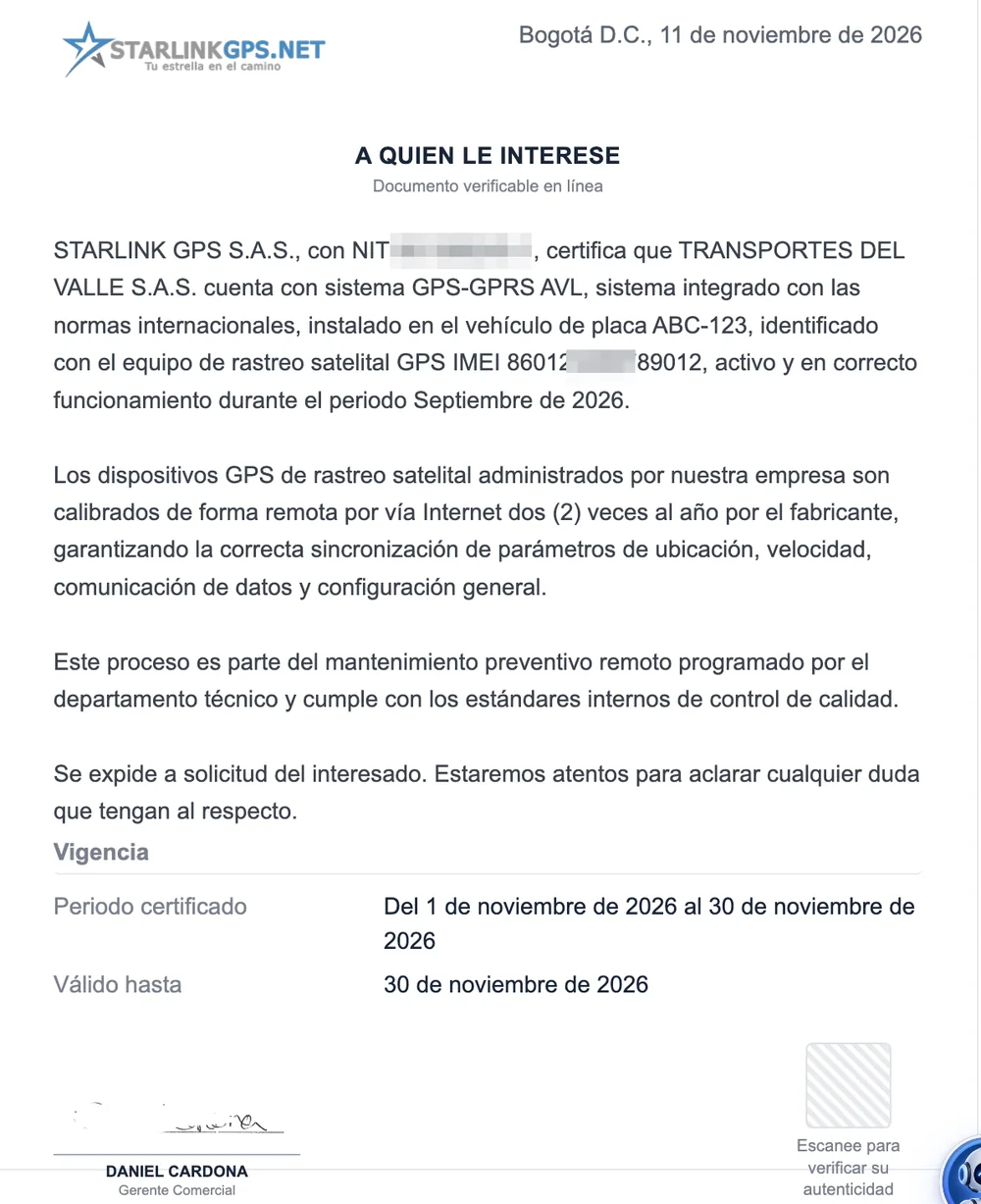
It comes with your logo, your signature and a QR code that proves it is genuine.
Step 1. Create your customer's company
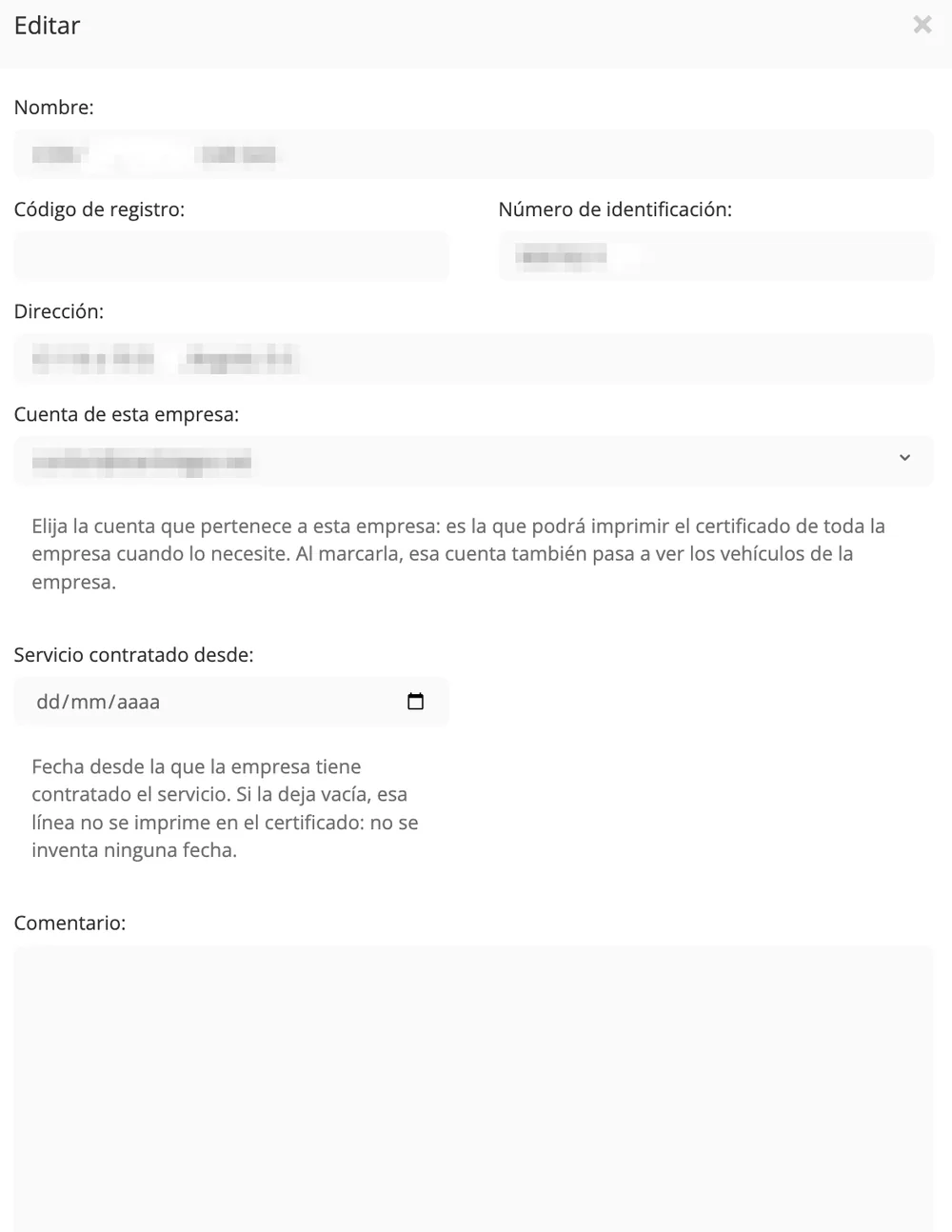
Just once. In ADMIN, Content, Companies, press + and enter the company's name, tax ID and address. Choose your customer's account and press Save.
Step 2. Set up your certificate
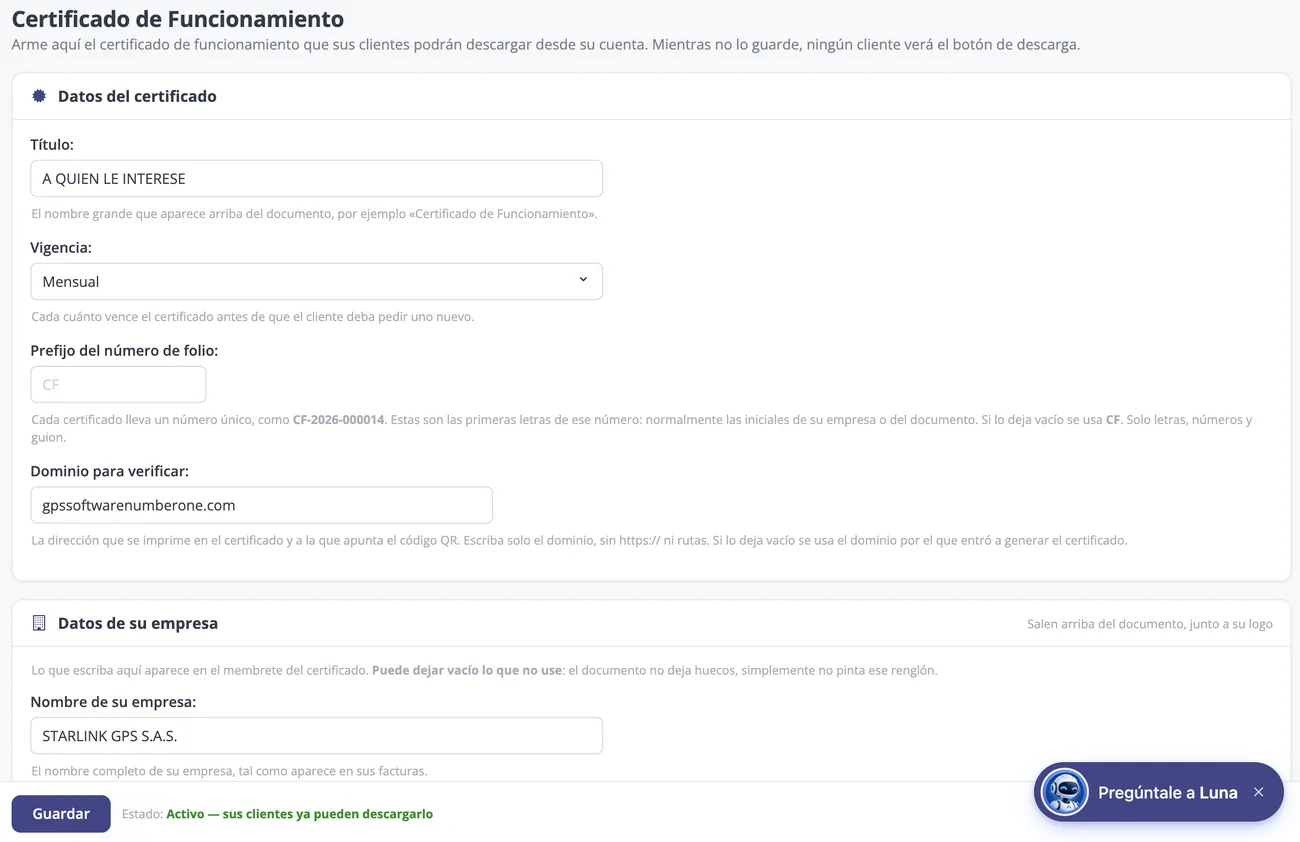
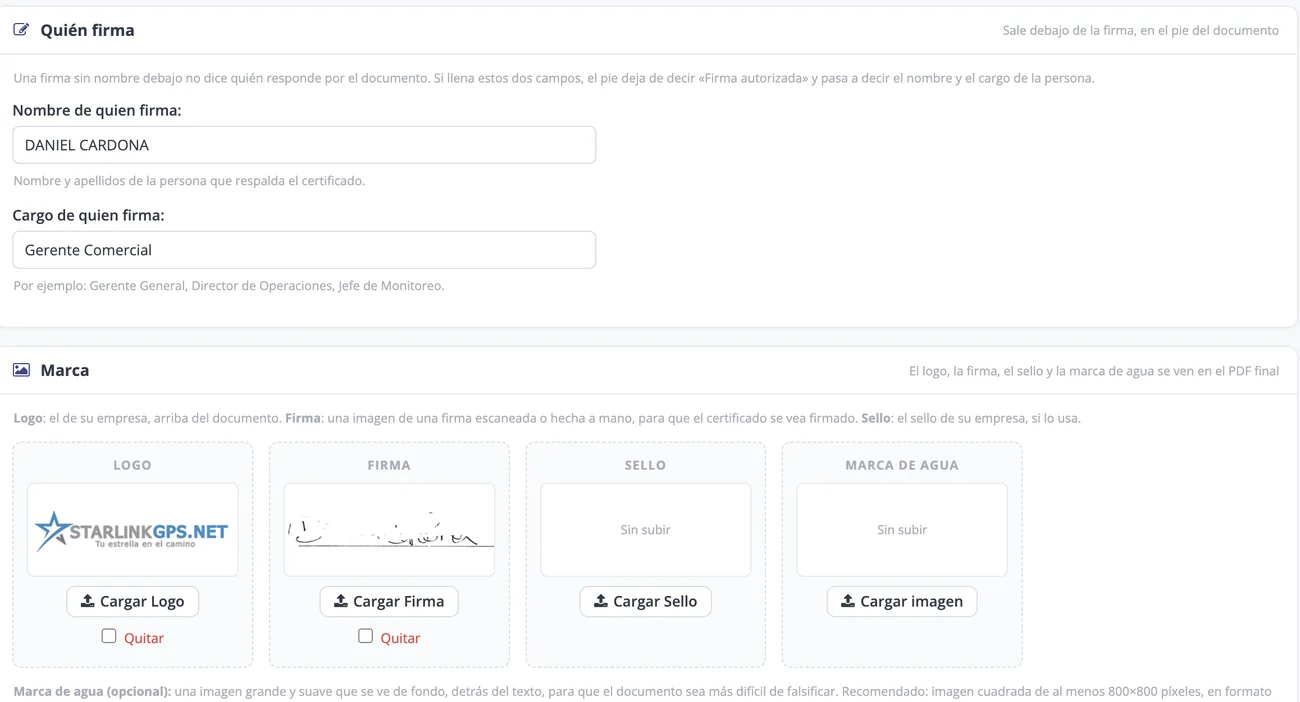
Also just once. Go to ADMIN, Content, Operation Certificate. Enter the title and your company details, and upload your logo, your signature and your seal. Once you save it, your customers can download it.
This is how the document looks:
Step 3. Your customer downloads it
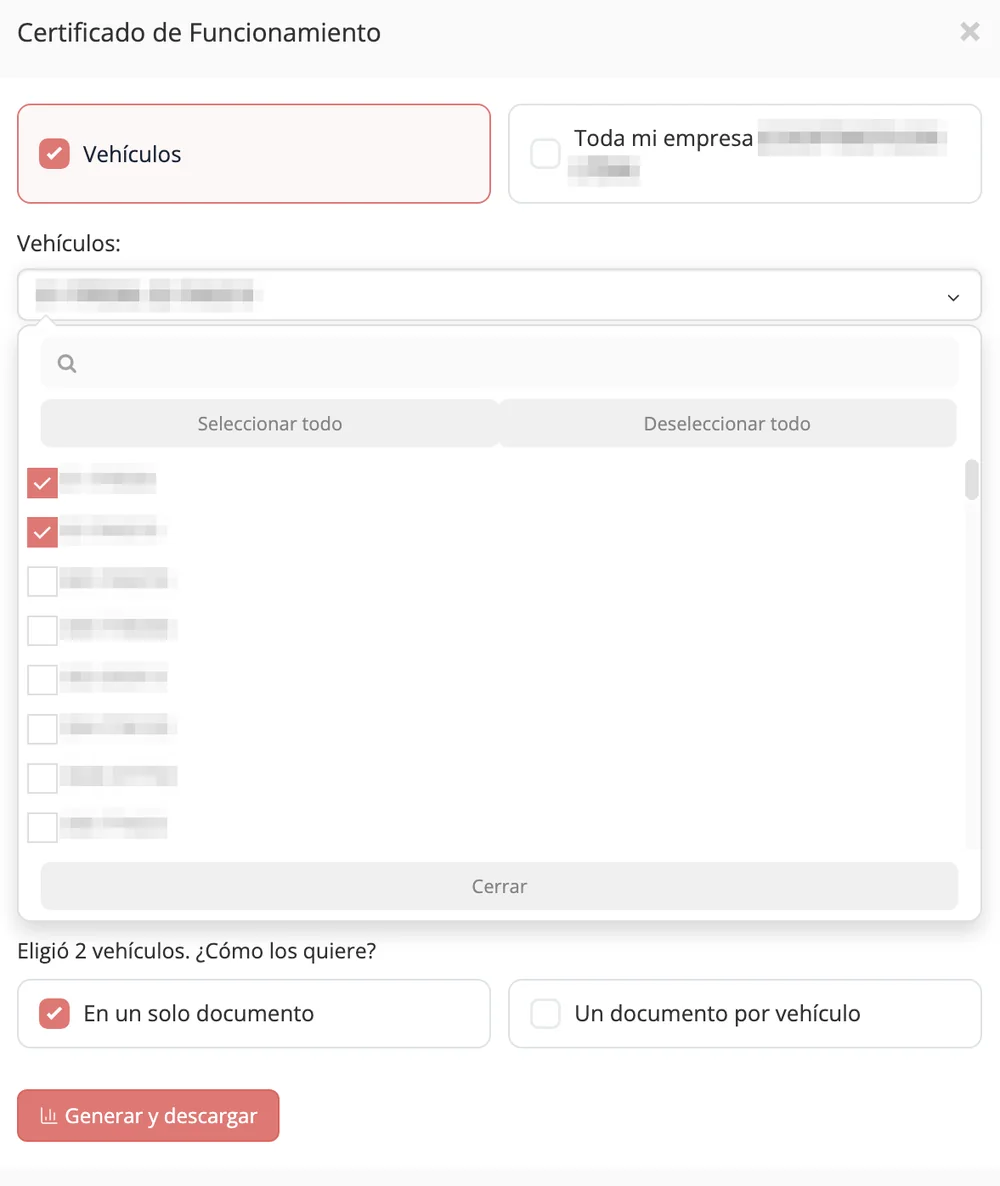
From their account, the customer chooses one or several vehicles, or their whole company. If several, they get one document or one per vehicle. Then they press Generate and download.
Step 4. Whoever receives it checks it is genuine
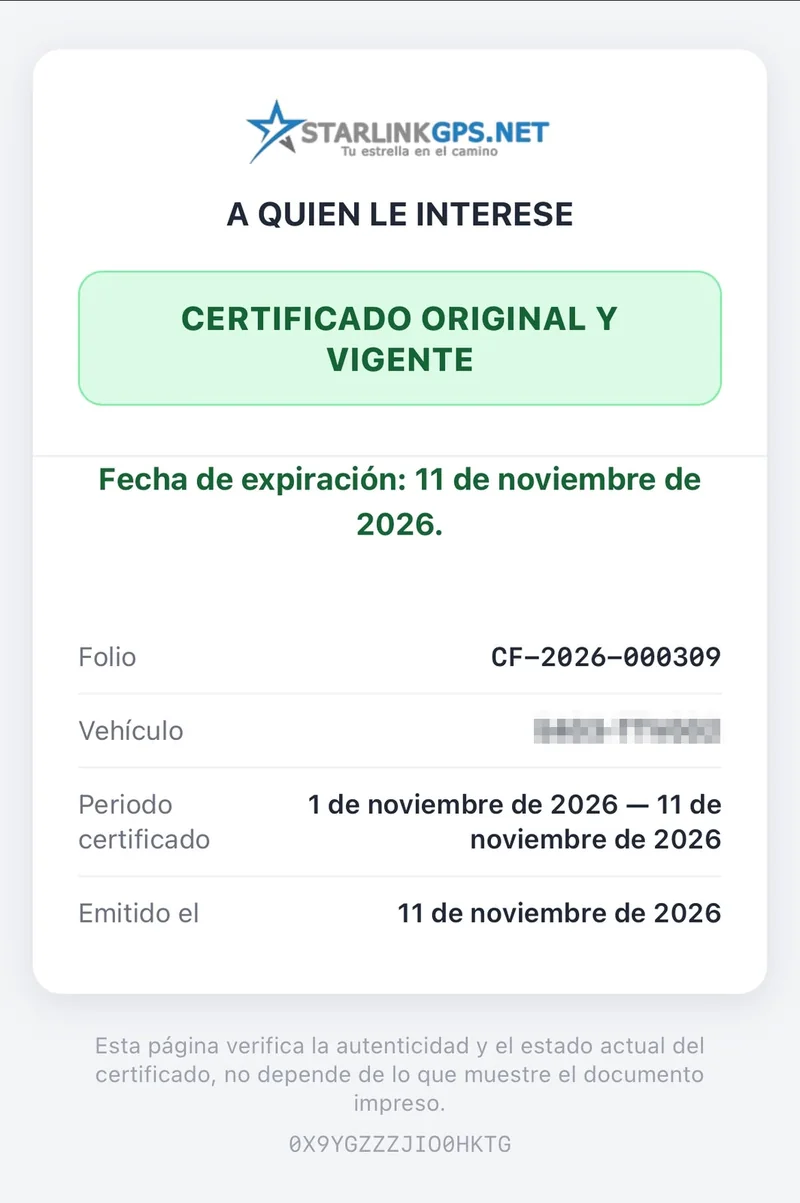
The certificate has a QR code. Reading it with a phone opens a page that says whether it is genuine and valid.
Don't have your tracking platform yet?
Ask for a demo and we will show you how it works, with your brand and your customers.
Request a demo